
Managing the Rule Library
The Rule Library holds your community’s rules and the exact text of each one. Every violation and variance cites a rule from it, so add your rules before you record either. HOA Hub keeps every version of a rule, so a violation always shows the rule as it read when the violation was recorded. Go to Violations → Rule Library.
Board Members can read the library but can’t change it. Residents see only the rules cited on their own violations and variances.
Categories
Section titled “Categories”Categories group your rules, and they decide how a violation is handled: each category sets which notices a violation of its rules gets and how many days the homeowner has to fix it after each one. You set those notices and days in Violation Settings.
Click Categories, then Add category. Give the category a name and a color, and click Add category.
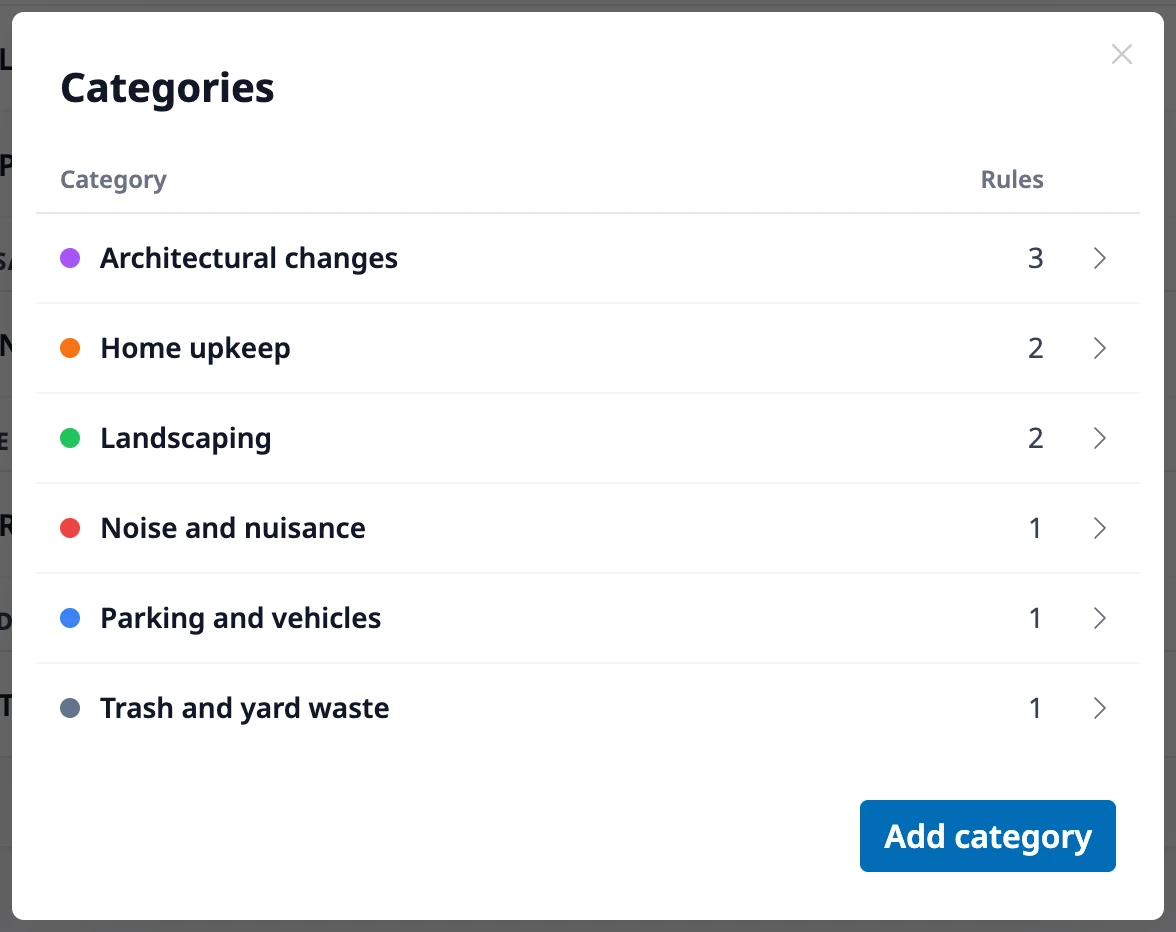
To delete a category, click it and then Delete category. Its rules need a new home, so you choose the category they move to, archived rules included.
Add a rule
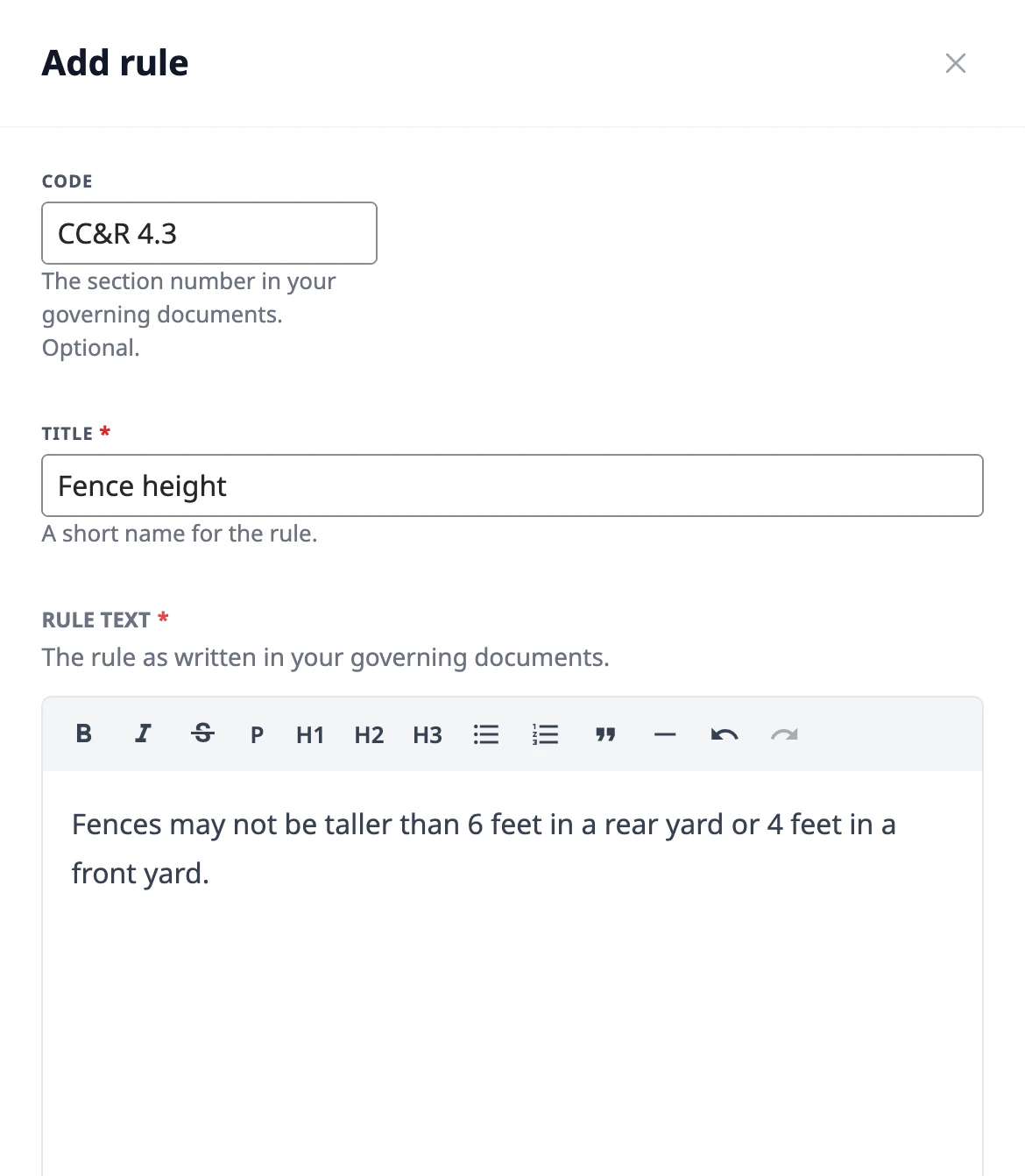
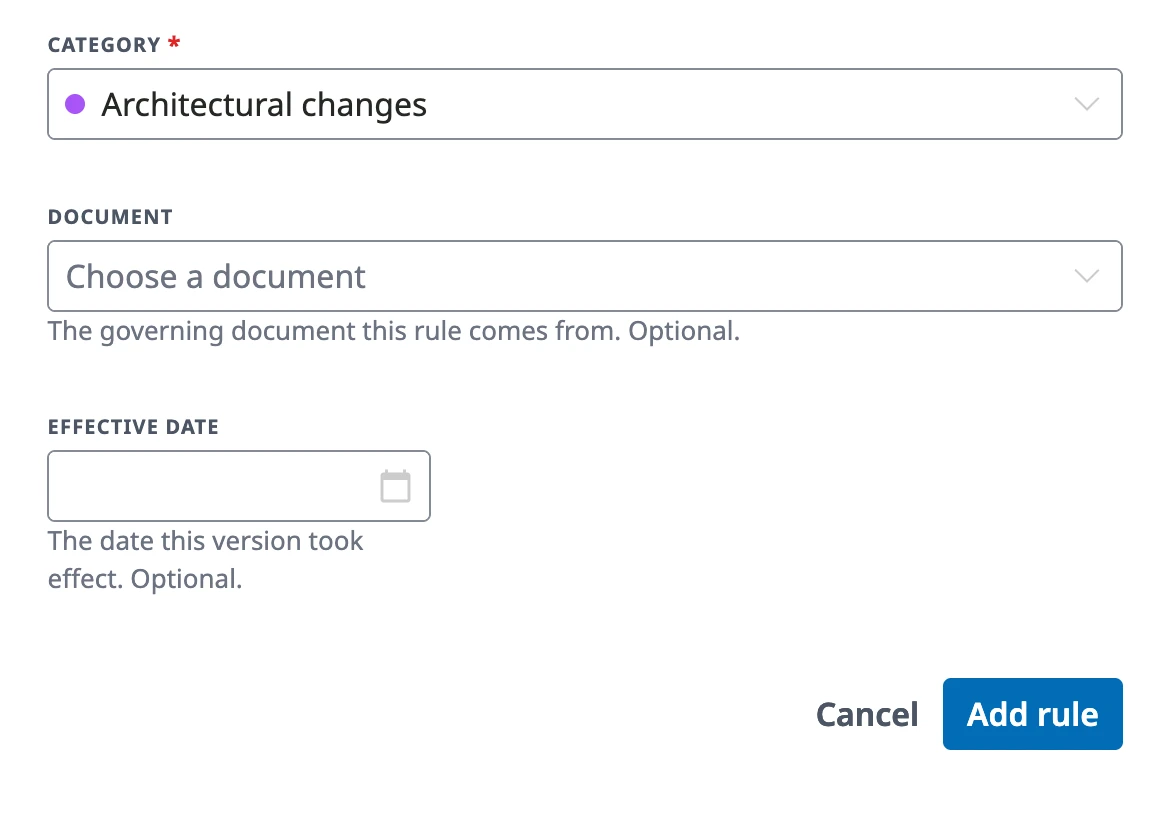
Section titled “Add a rule”Click Add rule and enter the rule’s title, its text as written in your governing documents, and its category. Add the Code, the section number like “CC&R 7.3”, so the board and residents can find the rule in the source document; each code belongs to one rule only. Choose the Document the rule comes from to link the rule to it, and set the Effective date if you know when the rule took effect.
Find a rule
Section titled “Find a rule”Rules are listed by category. Search by code or title, or switch to Archived to see the rules you no longer enforce. The list also shows how often each rule has been cited.
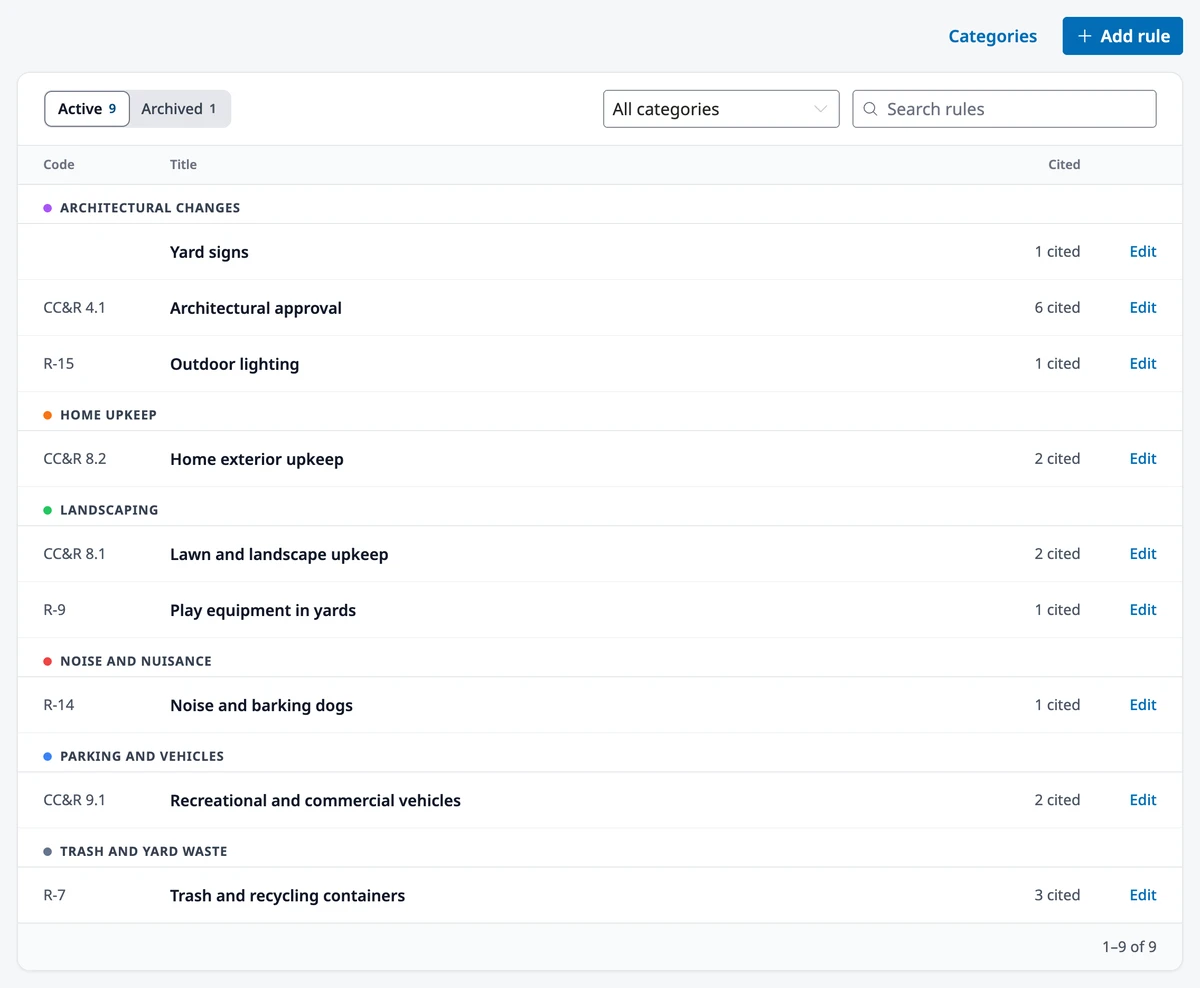
Click a rule to open its page, with its full text, its earlier versions, and a log of every change and who made it.
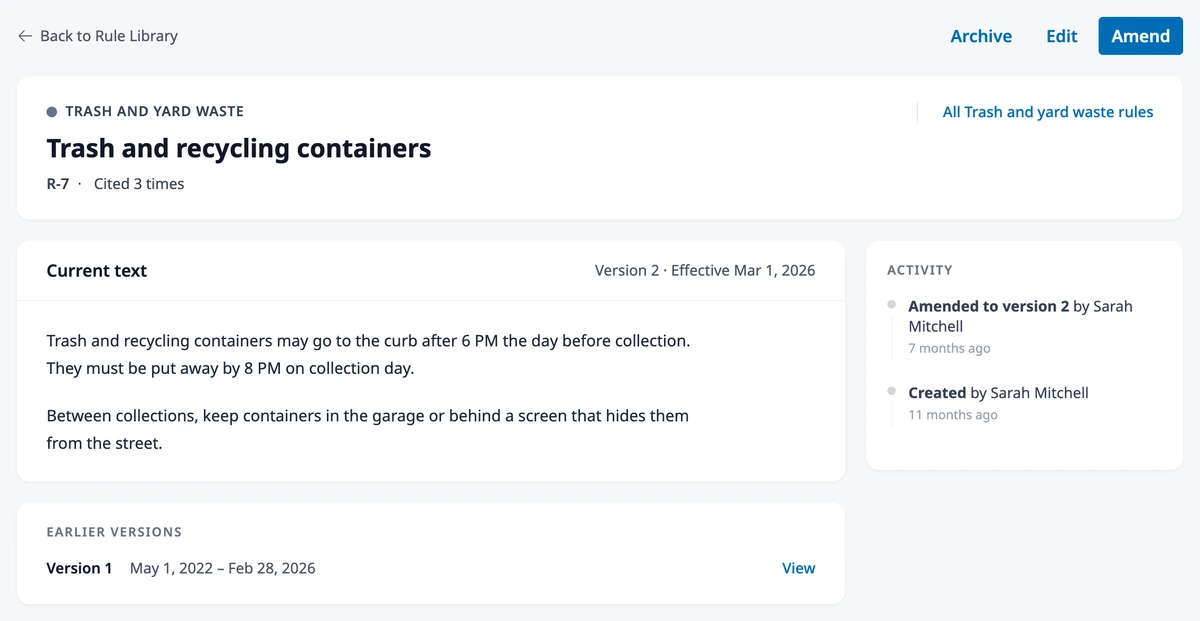
Amend or edit a rule
Section titled “Amend or edit a rule”Amend a rule when the board changes it. Click Amend on the rule’s page, update the text, and set the date the change takes effect (today, unless you change it). The amended text becomes the rule’s current version. Violations and variances already on file keep the version they cited, and new ones cite the new version. The earlier versions stay on the rule’s page with the dates each one applied.
Edit a rule to fix a mistake, such as a typo, or to move it to another category or document. Once a violation or variance cites the rule’s current text, that text is locked so the record stays accurate; amend the rule instead.
Archive or delete a rule
Section titled “Archive or delete a rule”Archive a rule your community no longer enforces: click Archive on its page. It’s no longer offered when anyone records a violation or variance, and the records that already cite it don’t change. If you need the rule again, click Restore on its page.
You can delete a rule only while no violation or variance cites it. Deleting removes the rule and all its versions, and can’t be undone.
Where to go next
Section titled “Where to go next”- Recording a violation? See Managing Violations.
- Granting an exception to a rule? See Managing Variances.
- Keeping your CC&Rs and bylaws current? See Governing Documents & Amendments.
- New to the violation process? See Understanding Violations.