
Extensions & Hearings
When a homeowner asks for more time or disputes a violation, notices pause and the violation waits for the board. Owners and Admins get an email when a request comes in; Board Members are also told about disputes. Open the violation to see the request and answer it.
Requests for more time
Section titled “Requests for more time”The violation shows Extension requested with the homeowner’s reason and the date they propose.
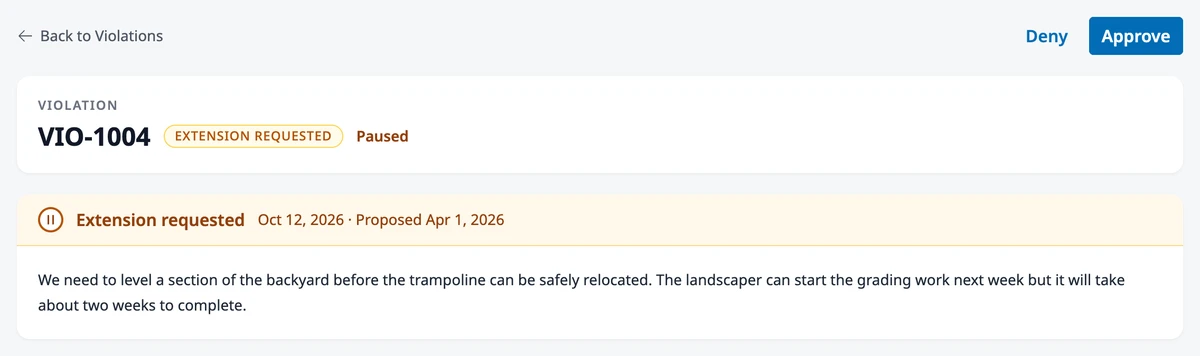
To give the homeowner more time, click Approve, set the New deadline (it starts on the date they proposed), and click Approve. They get an Extension approved notice with the new deadline, and the notice sequence picks up from there if the problem still isn’t fixed.
To say no, click Deny, set the Correction period for their new deadline (it starts at the days they had left), and click Deny. They get an Extension denied notice with that deadline, and they can’t ask for more time on this violation again.
Disputes
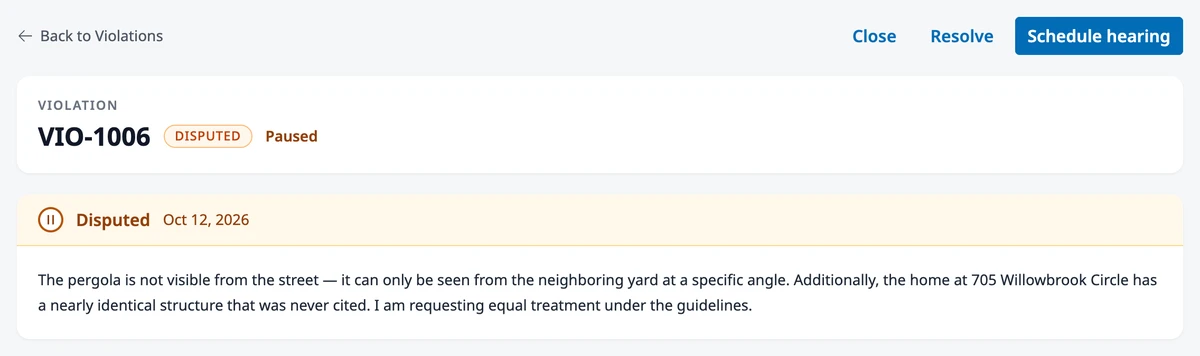
Section titled “Disputes”The violation shows Disputed with the homeowner’s statement and any files they attached. You can resolve or close the violation, or hear the homeowner out first.
Click Acknowledge to record that the board received the dispute, for example while you find a date for a hearing. Nothing is sent to the homeowner.
To hold a hearing, click Schedule hearing, set the Date, the Time, and the Location (one of your common spaces or another place), add any notes, and click Schedule hearing. The homeowner gets a hearing notice, and Owners, Admins, and Board Members are told.
Record the outcome
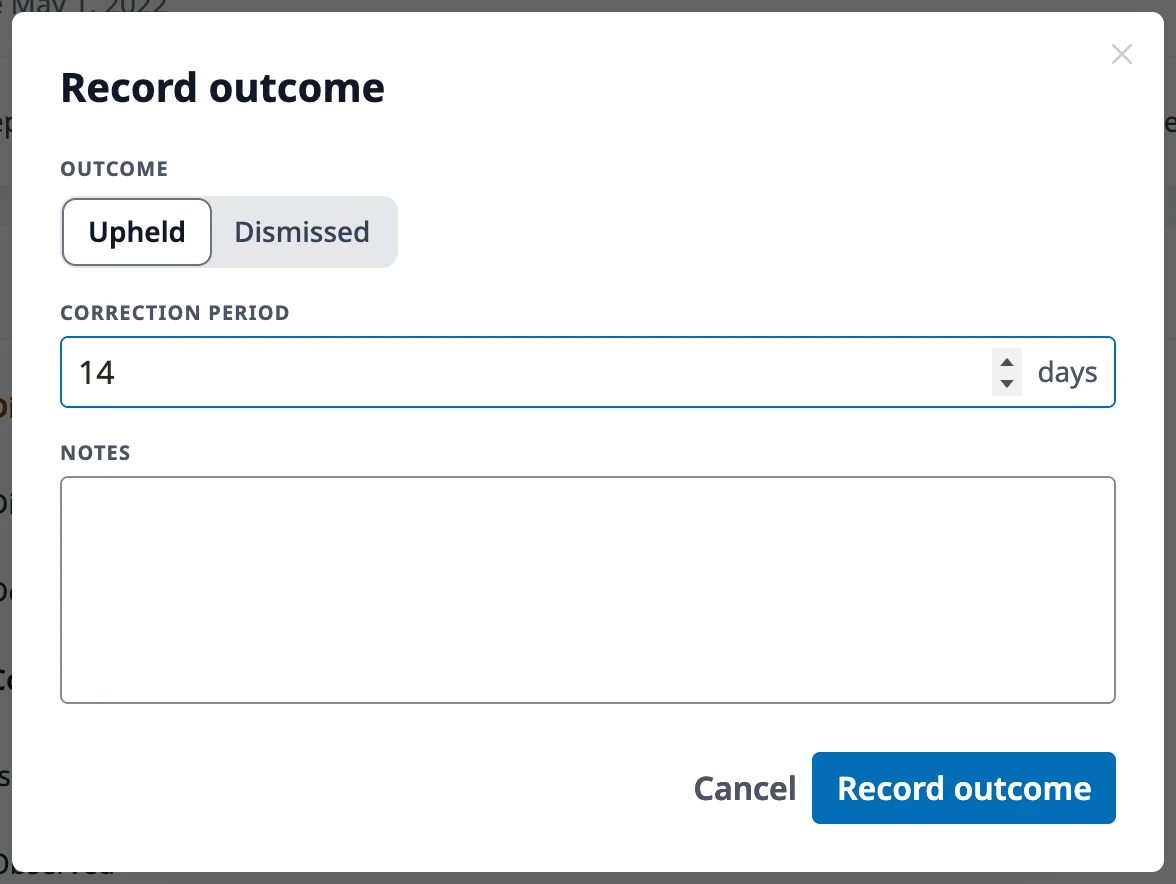
Section titled “Record the outcome”After the hearing, click Record outcome and choose what the board decided:
- Upheld — the violation stands. Set the Correction period for the homeowner’s new deadline. They get a hearing decision notice with that deadline, and the notice sequence continues if it isn’t met.
- Dismissed — the violation is closed. The homeowner gets a hearing decision notice, and no further notices go out.
Where to go next
Section titled “Where to go next”- Recording or closing a violation? See Managing Violations.
- Wondering what the homeowner sees? See Responding to a Violation.
- Changing the wording of the hearing notices? See Editing Violation Notices.
- Limiting disputes? See Violation Settings.