
Asking Questions with EasyAsk AI
EasyAsk is an AI assistant that answers questions about your community using the documents your board has published. Instead of reading through pages of bylaws or minutes, ask in plain language and get a direct answer.
Asking about a specific document
Section titled “Asking about a specific document”Every document view page has a floating chat button in the bottom-right corner. Click it to open a chat panel that overlays the page — the document stays scrollable underneath so you can reference it while asking questions.
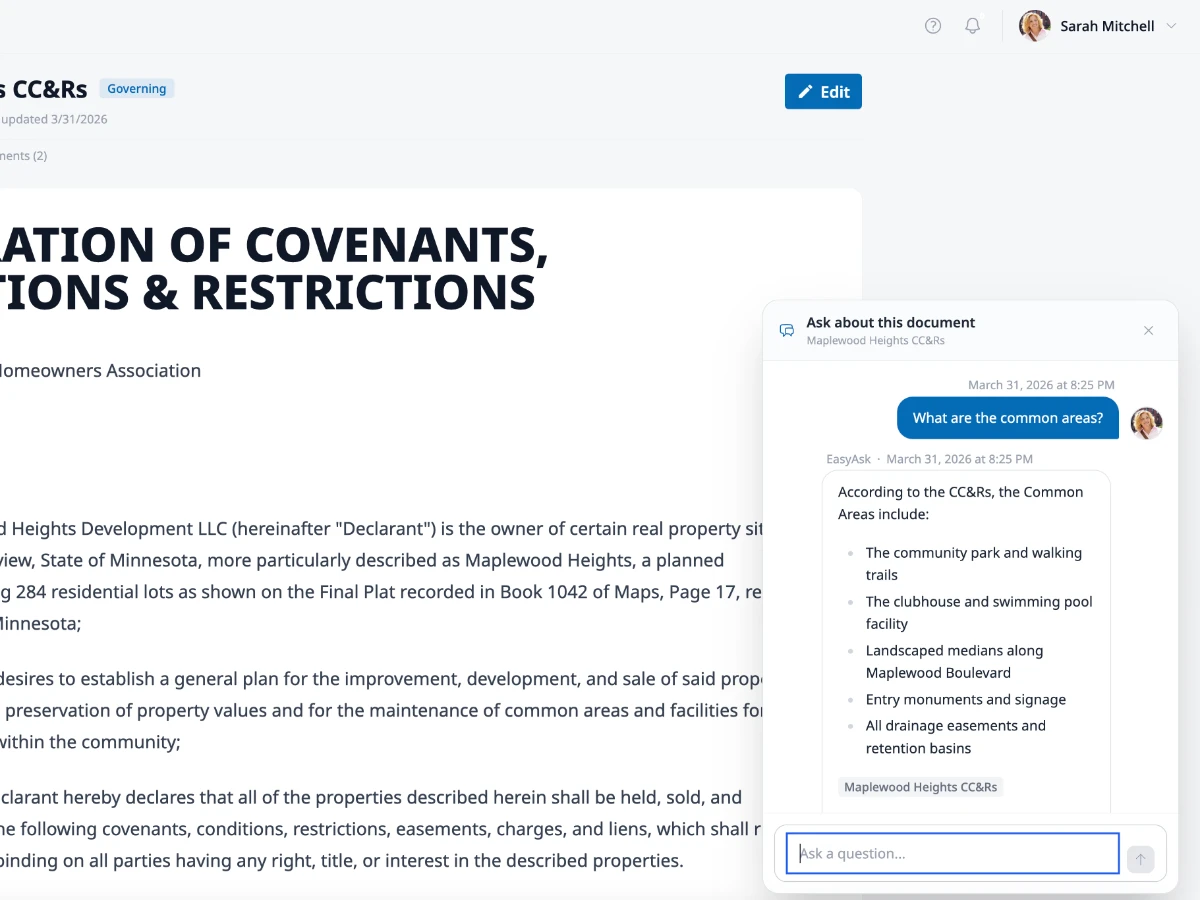
This is the fastest way to get answers when you’re already reading a document. The AI has full context of the document you’re viewing, so questions like “what does this say about fences?” or “summarize the parking rules” work well.
Type your question and press Enter. The response streams in as it’s generated. Click the X or the chat button again to dismiss the panel.
Searching across all documents
Section titled “Searching across all documents”For broader questions that might span multiple documents, use the full EasyAsk chat page. You can get there from:
- The Documents page toolbar — click Start AI Chat
- The EasyAsk link in the sidebar under Documents
The full chat page has a conversation sidebar on the left where past conversations are saved. Click any previous conversation to pick up where you left off. On smaller screens, tap the menu icon to open the sidebar.
Tips for getting good answers
Section titled “Tips for getting good answers”The more specific your question, the better the answer. Some examples:
- “What are the quiet hours in our community?”
- “How do I get approval for a fence?”
- “What does the CC&R say about short-term rentals?”
- “When was the last board meeting, and what was discussed?”
You can ask follow-up questions in the same conversation — EasyAsk remembers the context within a session.
Good to know
Section titled “Good to know”- EasyAsk can only answer based on documents that have been published in your community. If the information isn’t in a document, the AI will let you know.
- Your conversations are private — other community members can’t see your chat history.
- If EasyAsk isn’t available, you’ll see a message letting you know the feature hasn’t been enabled for your community.