
Browsing & Reading Documents
The Documents page is your community’s library — bylaws, meeting minutes, budgets, architectural guidelines, and anything else your board has published. You’ll find it under Documents in the sidebar.
Finding documents
Section titled “Finding documents”The search bar filters documents by name as you type. For more targeted browsing, open Filters to narrow by collection, publication year, or to toggle the pinned section on and off. You can also switch between grid and table layouts using the toggle in the toolbar.
Admins see additional filters for Status (draft, active, archived) and a toggle for Private Documents that aren’t visible to residents.
Collections
Section titled “Collections”Collections group related documents together — things like “Meeting Minutes,” “Budgets,” or “Architectural Guidelines.” A document can belong to multiple collections. Each collection has a colored dot that appears next to the document name throughout the app.
Pinned documents
Section titled “Pinned documents”Admins can pin important documents like bylaws or community rules so they always appear at the top of the page. If you’re looking for a foundational document, check the pinned section first.
Reading a document
Section titled “Reading a document”Click any document to open it. The view page shows the document title, publication date, collection tags, and the full content.
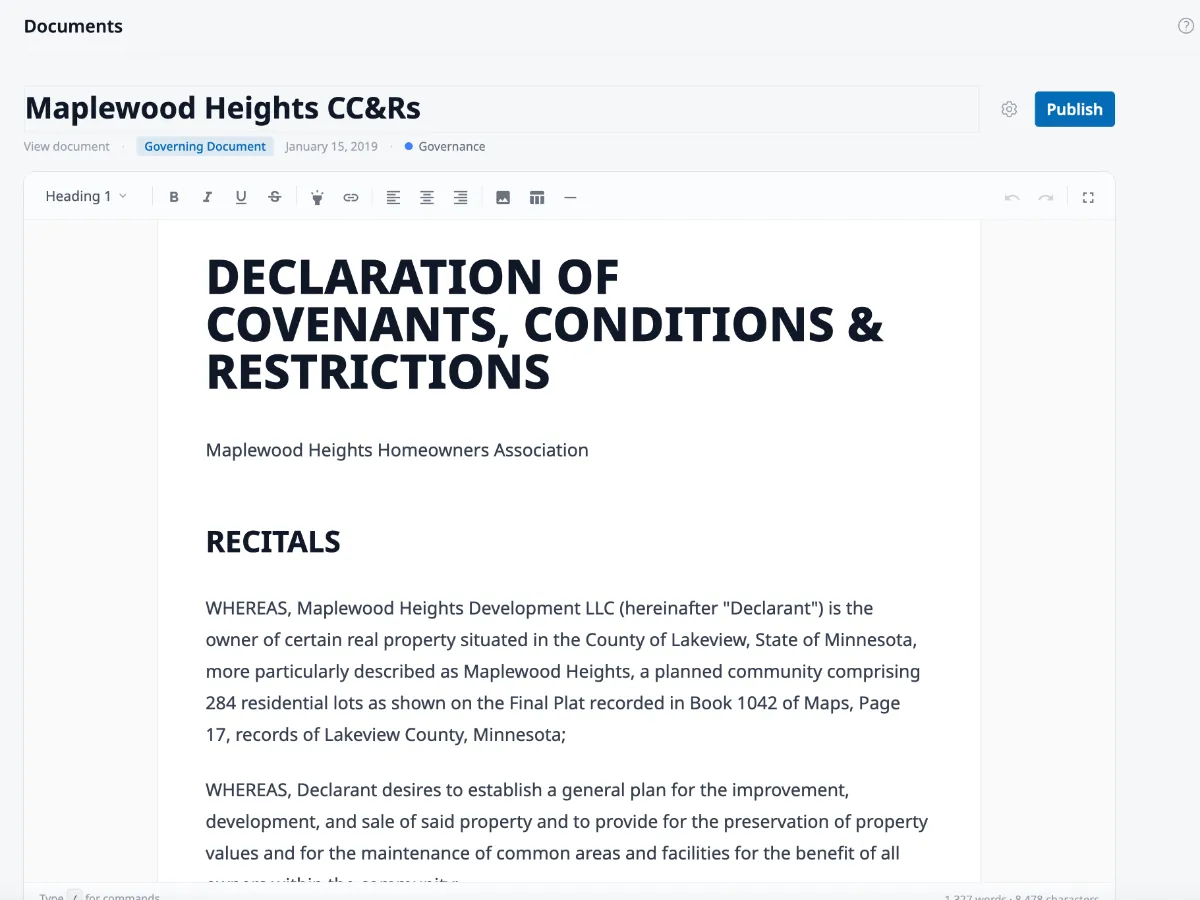
Governing documents are marked with a Governing badge and have additional links below the title for Version history and Source documents. See Governing Documents & Amendments for what these do.
If you have edit permissions, an Edit button appears in the top-right corner to take you into the document editor.
Asking questions with AI
Section titled “Asking questions with AI”Every document view page has a floating chat button in the bottom-right corner. Click it to ask EasyAsk AI a question about the document you’re reading — no need to search through the content yourself. There’s also a full chat page for cross-document questions. See Asking Questions with EasyAsk AI for details.