
Managing Users
Users are the login accounts that people use to access HOA Hub. Every user account is linked to a contact record — you always start from a contact when granting someone access.
Users vs. contacts
Section titled “Users vs. contacts”A contact is a person in your community directory. A user is a login account. Not every contact needs a user account — you might have contacts on file for absentee owners or past residents without giving them access to log in. When you invite someone, you’re creating a user account and linking it to their existing contact record.
Inviting a new user
Section titled “Inviting a new user”To give someone access to HOA Hub, you need to start from their contact record:
- Open the person’s contact page from the Neighborhood directory
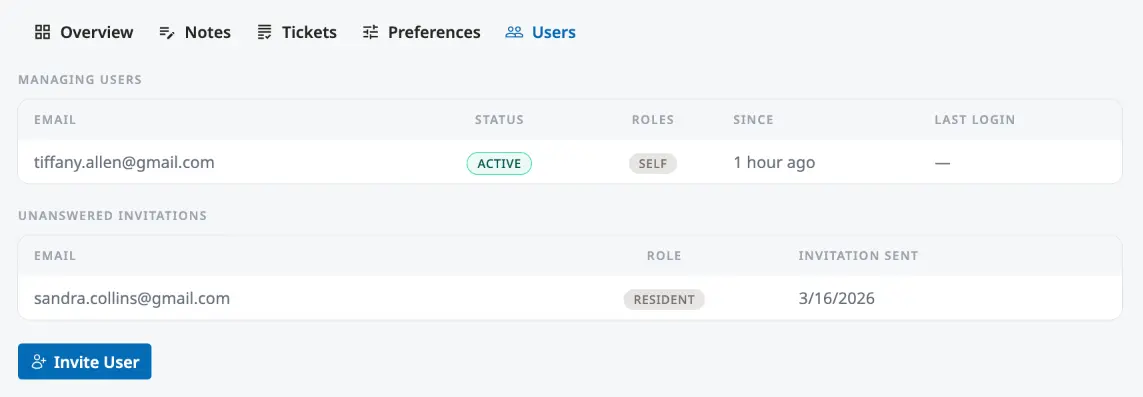
- Switch to the Users tab
- Click Invite User
- Enter their email address and select a role
- Send the invitation
The invited user will receive an email with a link to create their account. Until they accept, they appear in the Unanswered Invitations section of the contact’s Users tab.
User roles
Section titled “User roles”Each user account has a role that determines what they can see and do:
| Role | Access |
|---|---|
| Owner | Full access to all features and settings. Can manage billing and transfer ownership. |
| Admin | Full access to all community management features. Cannot manage billing or ownership. |
| Board Member | Can create events, view the inbox, and access board-level features. |
| Resident | Can browse the directory, view documents, submit tickets, and RSVP to events. |
| Billing Manager | Can access billing and payment settings. |
| Agent | Can manage tickets in the inbox. |
Viewing all users
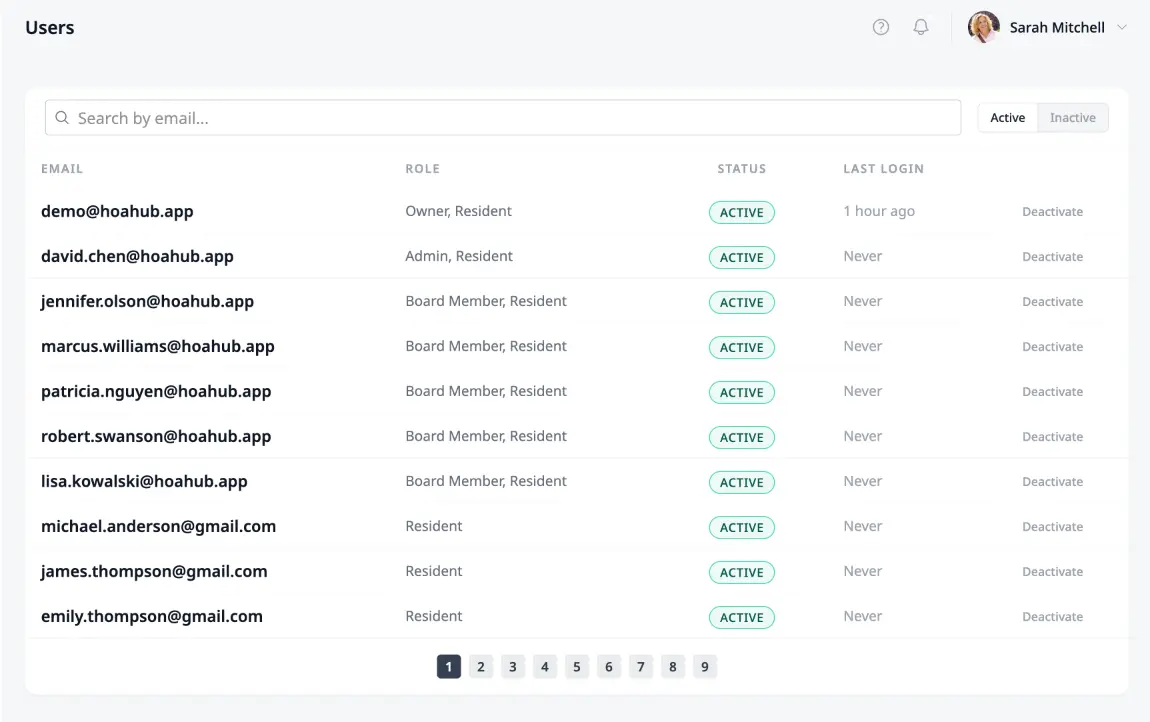
Section titled “Viewing all users”For a quick overview of every account in your community, navigate to HOA → Users. This page lists all users with their email, role, status, and last login date. You can search by email and filter by status.
Deactivating a user
Section titled “Deactivating a user”If someone should no longer have access — for example, a board member whose term has ended or a resident who has moved — you can deactivate their account from the HOA → Users page. Deactivated users can no longer log in but their contact record and history are preserved.